Service Management
Path: /services, /services/edit/:id
Service Management is the core page of KIOPS. Build your Git repository source code into container images, deploy to Kubernetes or Docker environments, and manage security vulnerabilities—all in one place.
Permission Notice — If you cannot access some features, request permission from your organization administrator. Permission settings are on the [Permissions] page.
What you can do here
- Git repository integration: Connect GitLab repositories with a token and select branches/tags. Basic reads, such as viewing commits and branches, require at least the
read_repositoryscope. Webhook registration and image push require theread_api,write_repository, andwrite_registryscopes together, and the token's account must be a Maintainer or higher on the project. Issue tokens at GitLab → Settings → Access Tokens. - Build: Build Dockerfiles into container images with BuildKit (the single, consolidated builder). Real-time logs and build history included.
- Deploy: Deploy built images to Kubernetes (Deployment/Service, etc.) or Docker hosts, with rollback and deployment history.
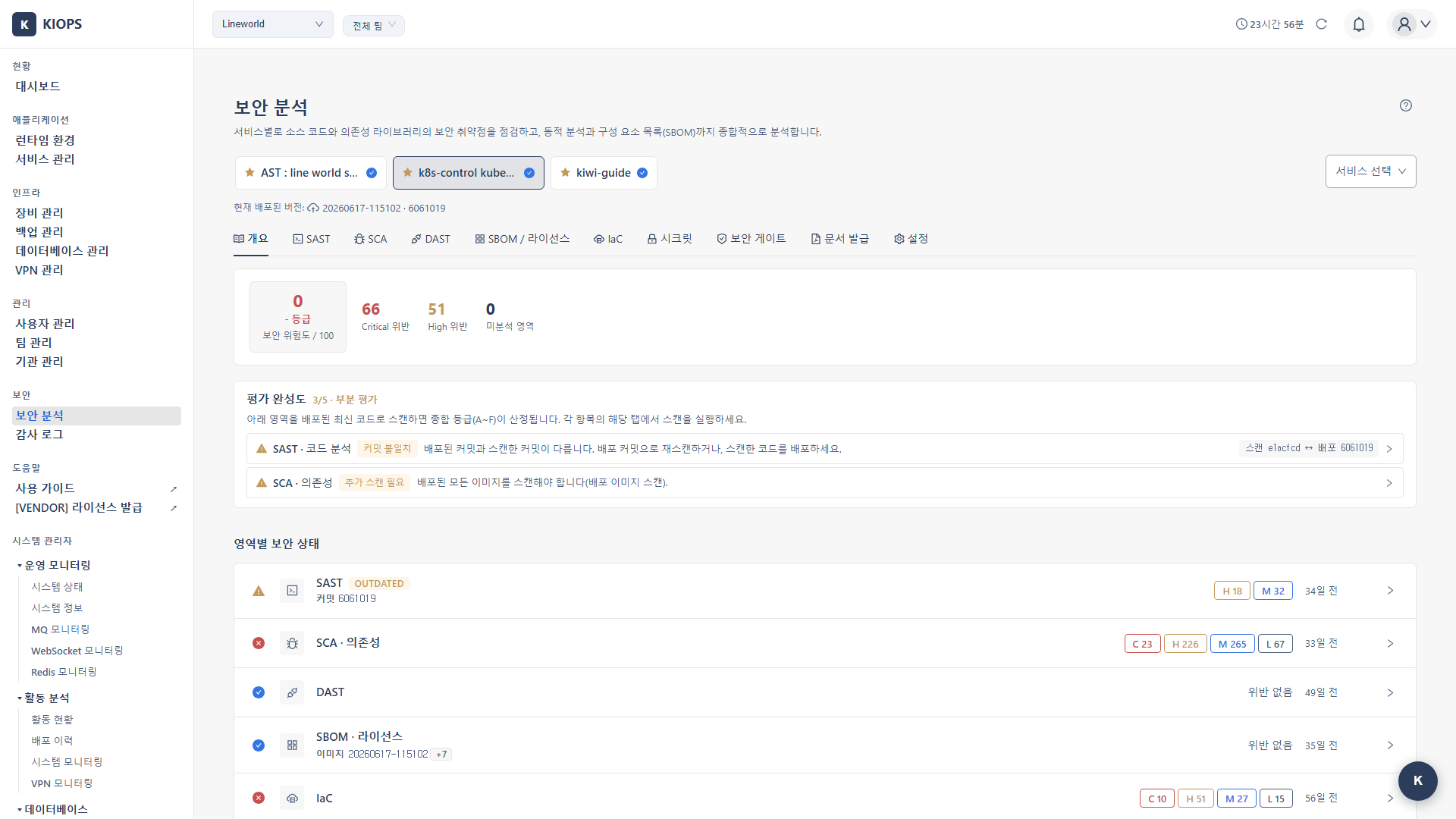
- Security analysis: Run SAST (Semgrep+OpenGrep), SCA (Trivy+Dependency-Check), SBOM (CycloneDX), DAST (ZAP+Nuclei), plus IaC (Checkov), secrets (Gitleaks), and the security gate (OPA, comprehensive 8-area deployment decision). All scans run and are reviewed on the Security Analysis page ([2026-05-27] the analysis sub-tabs from the pipeline stage tabs were migrated there).
- Operate: Perform real-time tasks on deployed services — log viewing, restart, resource monitoring, command execution.
- Runs: View the complete pipeline execution history.
Key elements
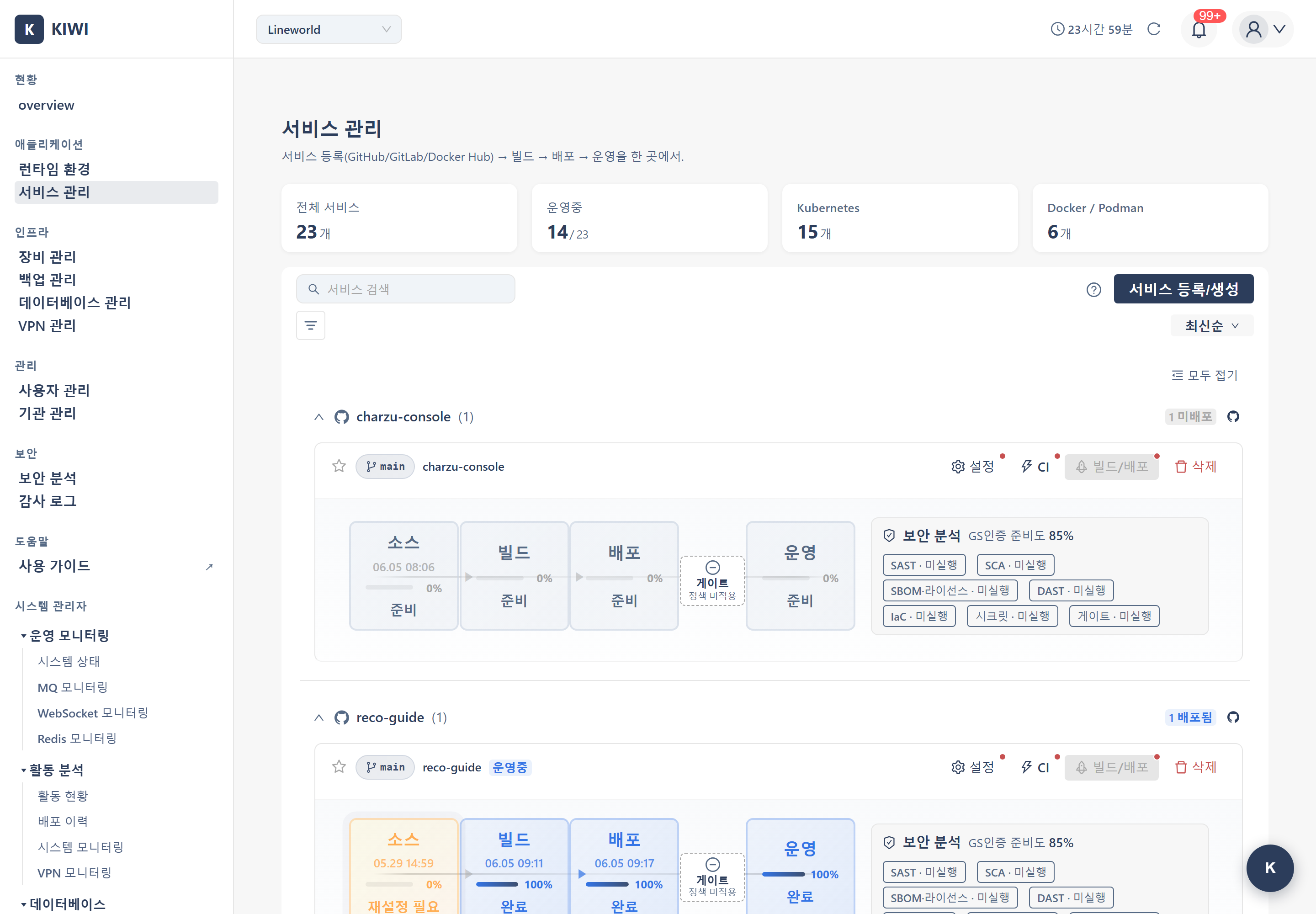
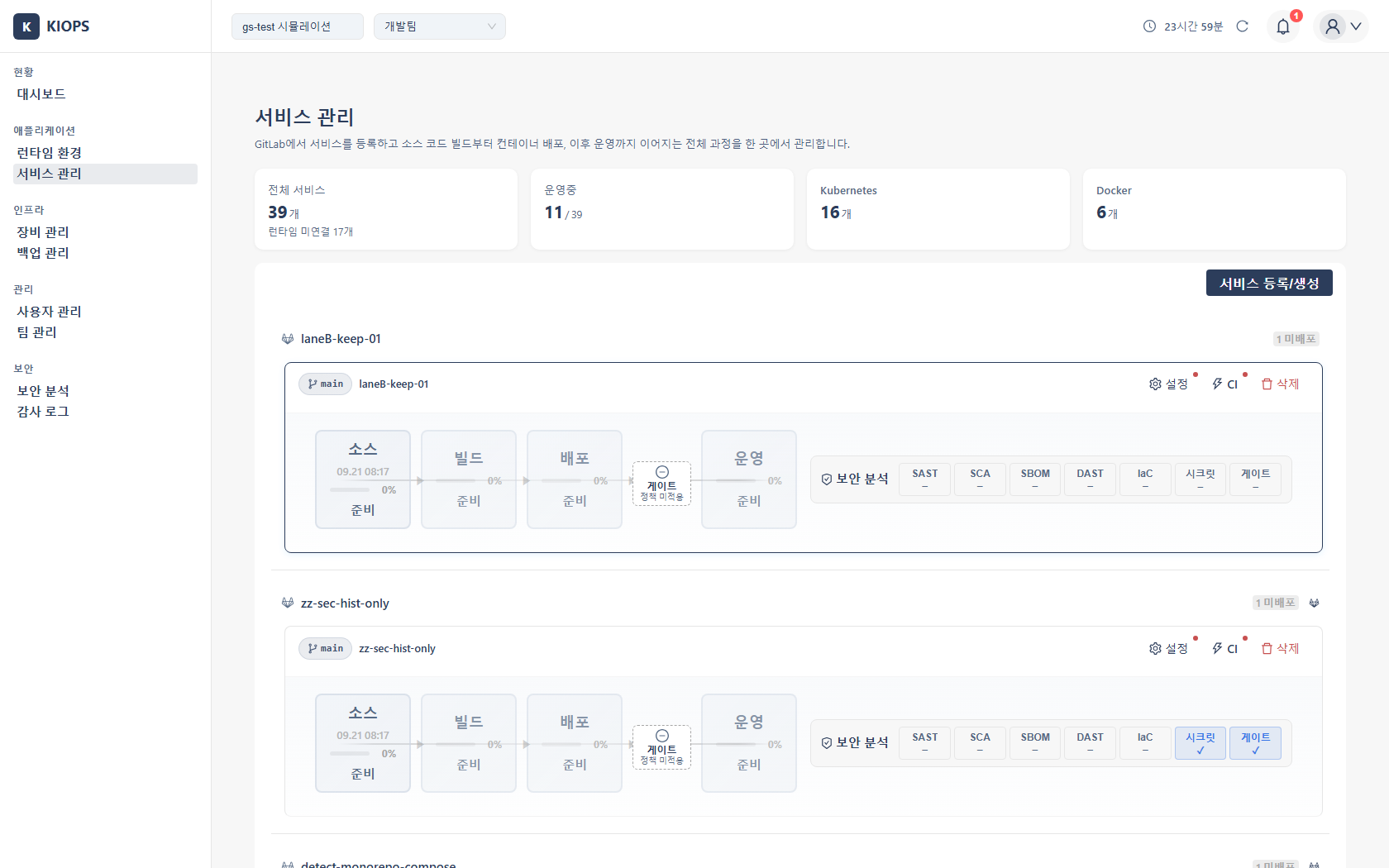
Service list
Registered services are grouped into per-GitLab-project card groups. Each card shows the service name, Git repository / default branch, build & deploy status, and a vulnerability summary (Critical/High/Medium/Low), with Build / Deploy / Settings / Delete icon buttons in the card header. For badge meanings, see the Status Reference.
Service detail tabs
Clicking a service opens its detail page; the tab layout depends on the source type.
-
GitLab-linked:
Source/Build/Deploy/Operate/Runs(5 tabs) -
Docker Hub image-based:
Image/Deploy/Operate/Runs(4 tabs; no source/build) -
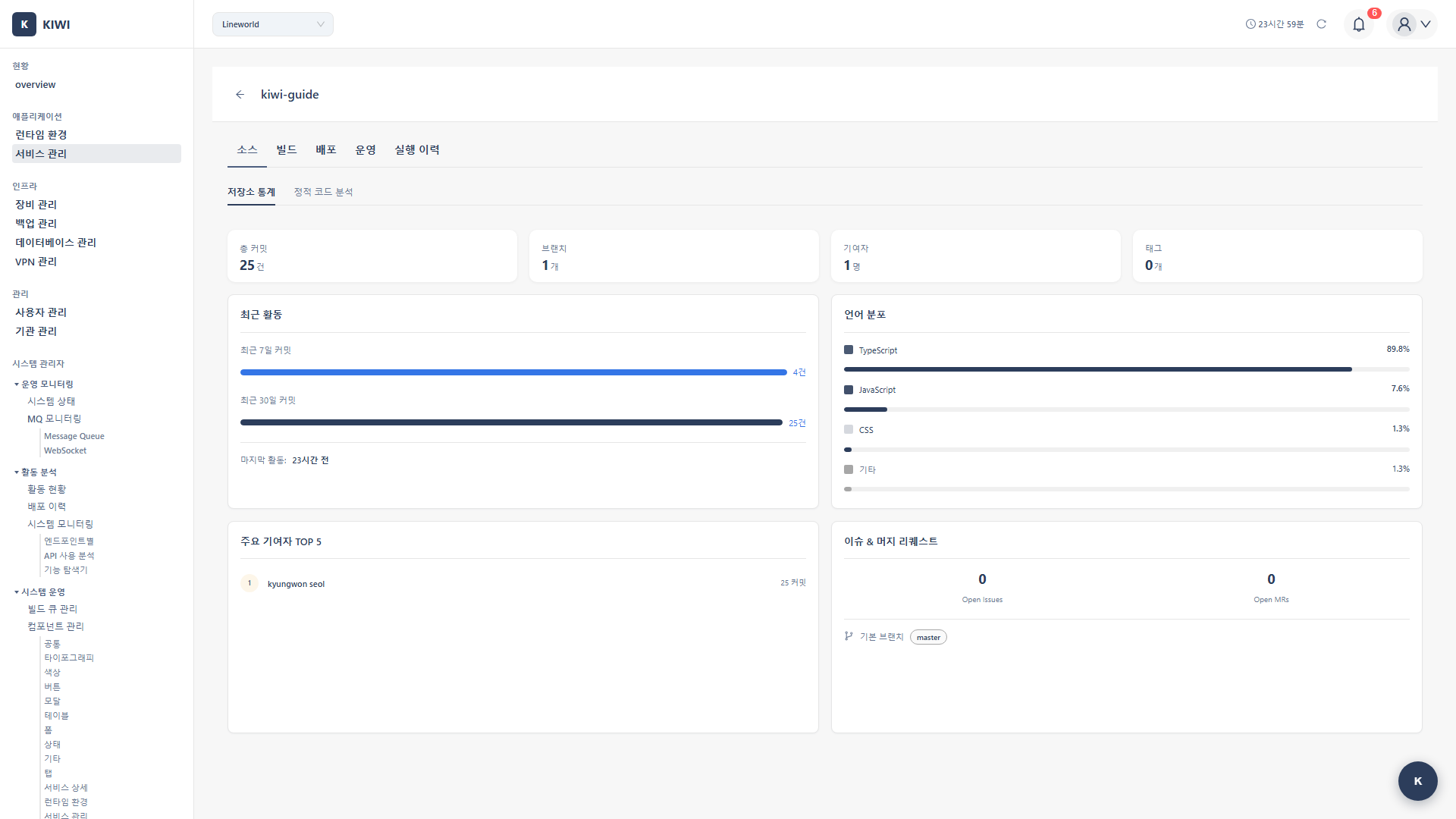
Source (GitLab): Repository statistics on a single screen, with no sub-tabs. It shows connection status, the branch list, recent commits, contributors (last 90 days, top 5 by commit count, based on
services.branch), the language breakdown, tags, the deployed version (commit SHA and image tag in the header), and the 5 most recently merged MRs/PRs. The Test Connection button verifies GitLab token validity before building. SAST results were migrated to Security Analysis ([2026-05-27]). -
Image (Docker Hub): Select the image and tag to use.
-
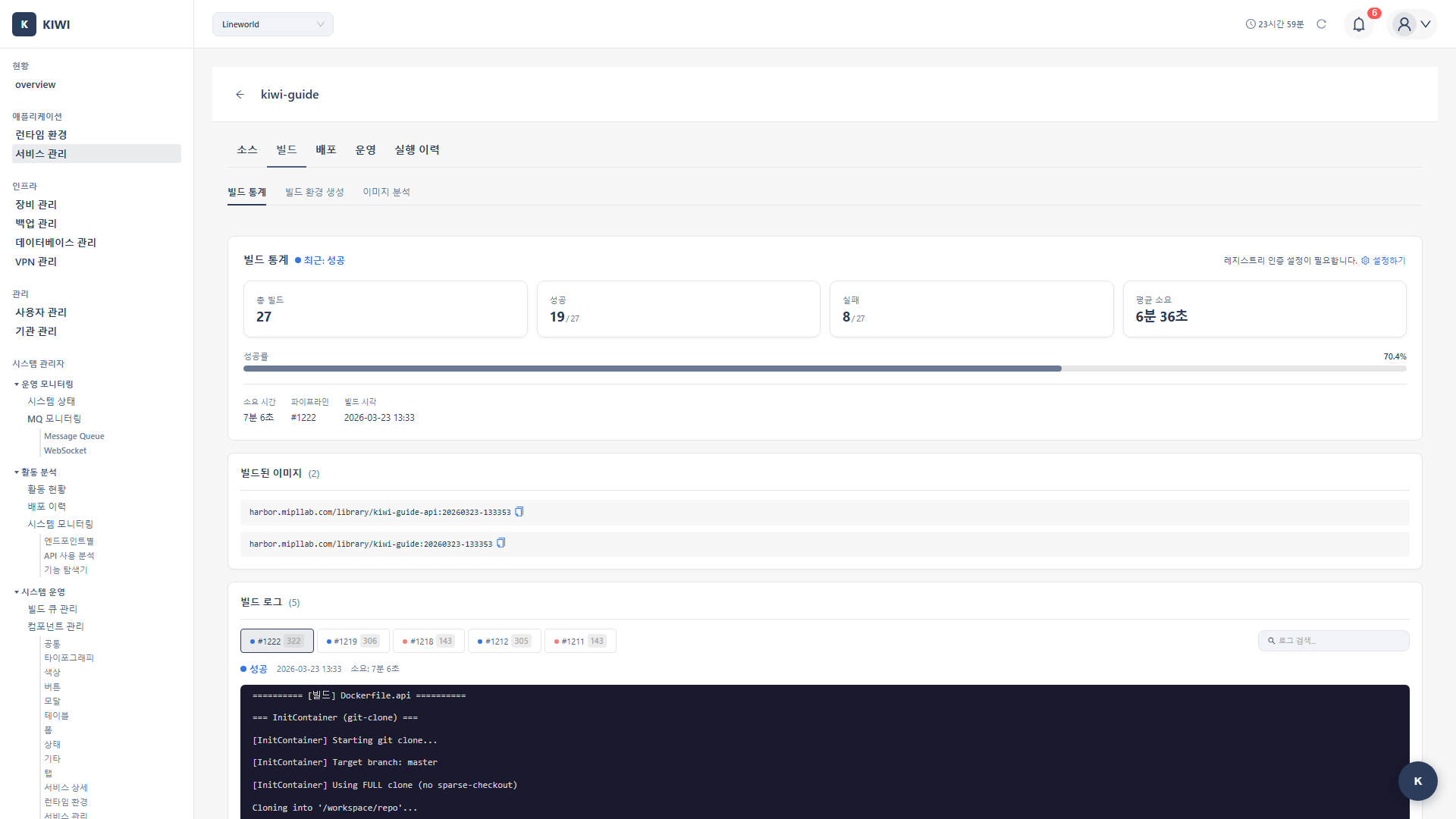
Build (GitLab): Build settings, logs, and history. SCA results were migrated to Security Analysis ([2026-05-27]).
-
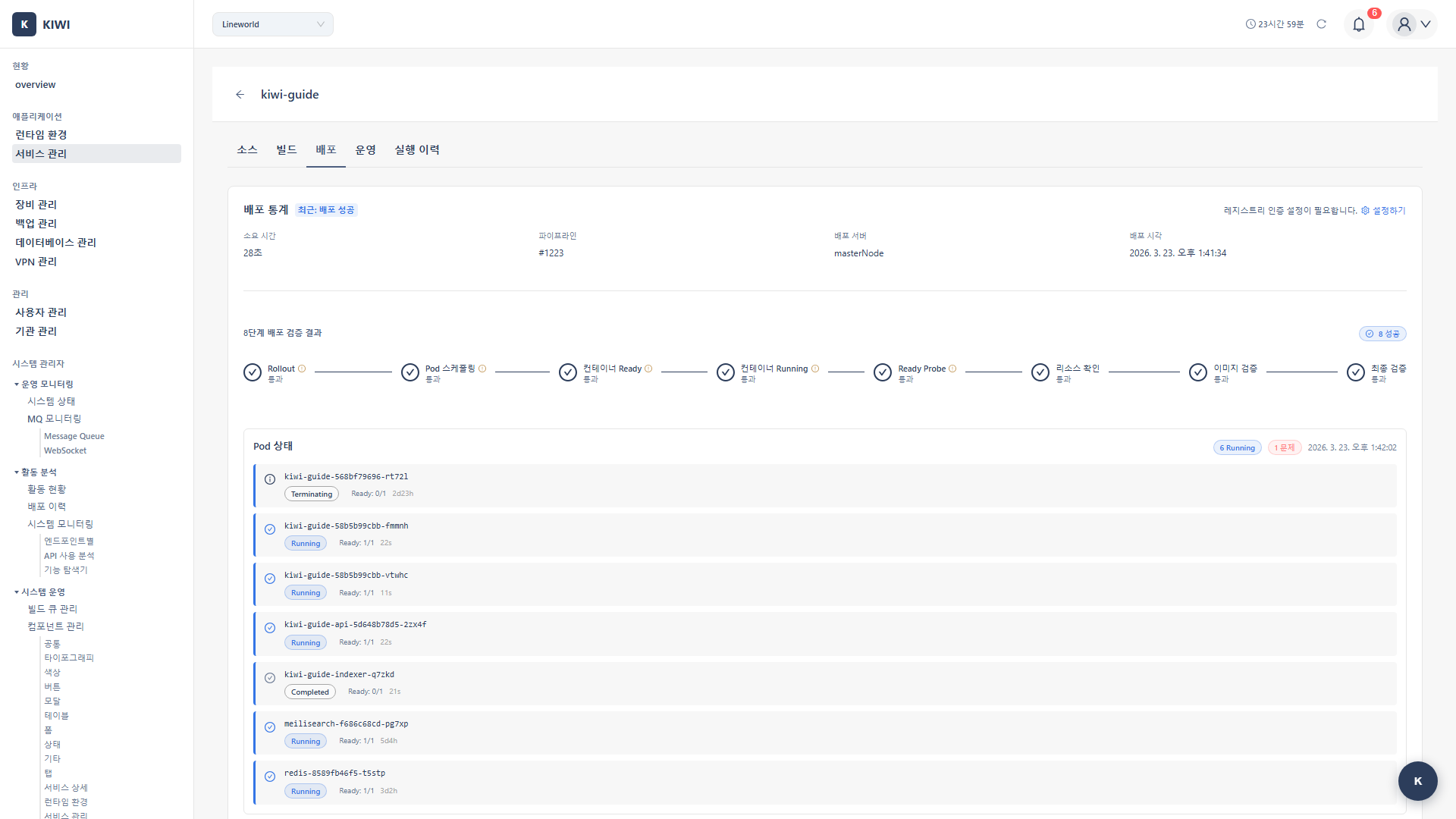
Deploy: Deployment environment settings, execution, and history.
-
Operate: Opens the Operate Modal. K8s = Overview / Pod List / Workload / Resources / Config·Secret / Logs / Command Execution / Domain Settings (scaling, HPA, and restart are on the Workload tab). Docker·Podman = Overview / Container List / Logs / Command Execution / Domain Settings.
-
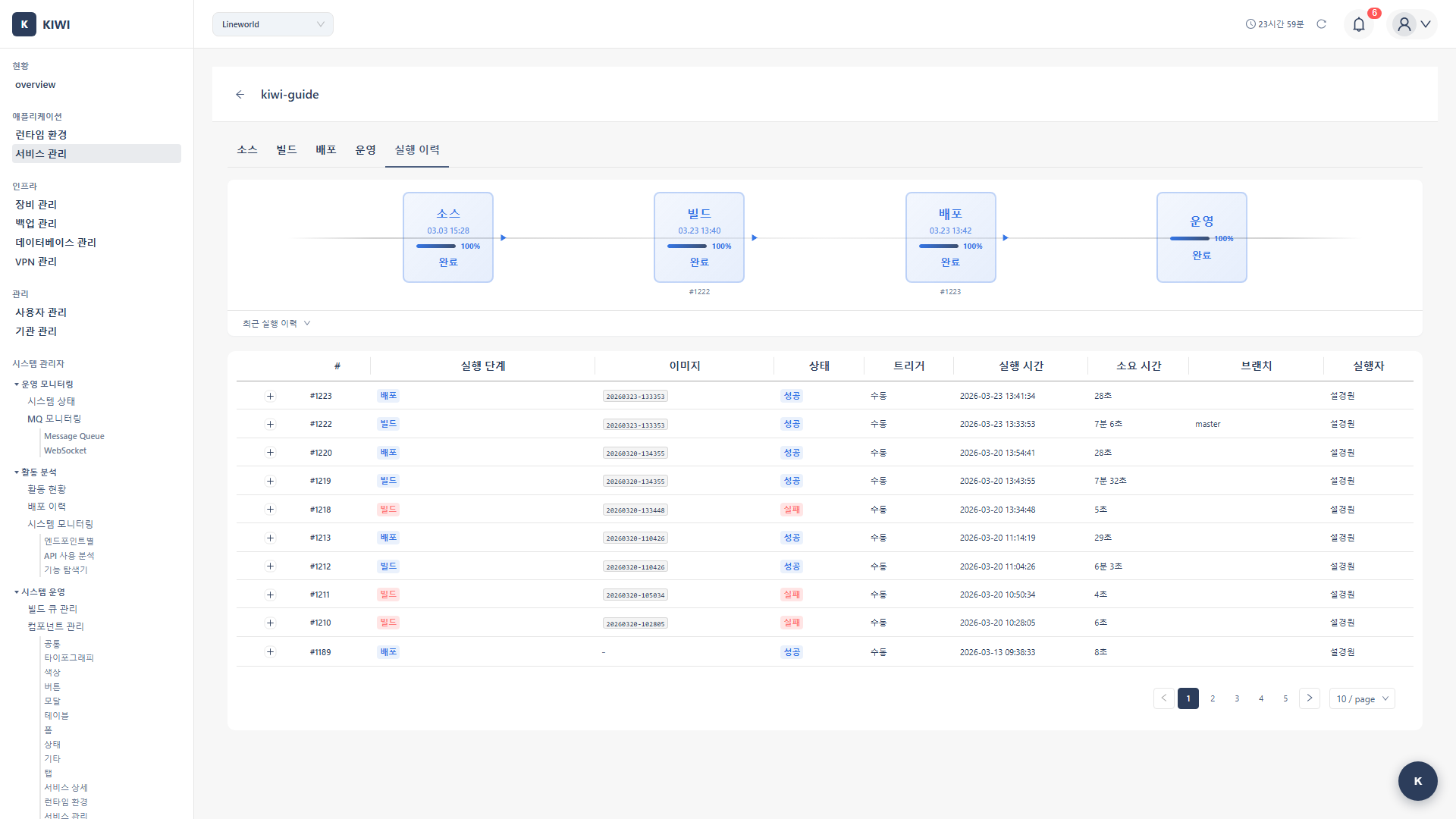
Runs: View pipeline execution records.
Auto CI and Webhook
Configure automatic build/deploy on code changes.
- Triggers: Branch push, tag creation, or specific file/path changes (conditions can be combined).
- Entry points: The Auto CI Settings button on the Build tab, or the service card action menu. There is no separate "Settings" tab. The Manage Webhook Environments button inside the modal opens the per-environment settings dialog.
- Webhook environments: Each service has Local, Dev, Staging, and Production environments. The webhook URL is the organization Base URL plus the service path. If the Base URL is unset it shows as "Unconfigured" — ask your org admin to set it. GitLab requests are authenticated with a unique Secret Token per environment. Regenerating a token invalidates the old one immediately, so update GitLab's settings as well. For status badge values, see the Status Reference.
Deployed-version tracking
Shows the exact code and image of the currently deployed service ([2026-05-22]).
- Locations: The "Deployed Version" column of the dashboard Service Status table, the security analysis header, the Source tab header, and the Runs list.
- Displayed info: Image tag (user-entered version or auto-generated timestamp; user-entered shown in bold), deployment time, deployed commit SHA (first 7 chars), deployed image URL.
- Risk matching: SAST results are recalculated against the deployed commit. If the scanned commit differs, a "Previous Commit" label is shown; with no deployment info, "No Match" is shown.
Runs columns
The list shows the run number, the execution steps (Source/SAST/Build/SCA/Deploy/Operate/DAST, color-coded), the image tag, status, trigger (Manual, Webhook, or Scheduled), start time and duration, branch, commit (first 7 characters, or '-' when the run was not webhook-triggered, [2026-05-22]), and executor. Expanding a record shows a per-step timeline with start, end, duration, and status, which is how you find bottlenecks.
Build / repository statistics
- Build: Total builds, build success rate, average build time, recent build history.
- Repository: Total commits, active branch count, contributors (last 90 days, top 5), recent merged MRs/PRs (5), analyzed branch (
services.branch;default_branchif unset), recent commit history.
How to use
Register a service
Add Service → enter service name, description, repository URL → enter the GitLab Personal Access Token (scopes as above) → after authentication, select the default branch (usually main/develop) → Save.
Configure and run a build
Build tab → Build Settings:
- Dockerfile path (default
./Dockerfile), Build context (default.= root; determines the COPY/ADD file scope; specify a subdirectory for monorepos). - Build arguments:
ARGvalues as key=value (e.g.,NODE_ENV=production). - Version (formerly "Tag"): A meaningful label (e.g.,
v1.2.3) is used as the image tag. If empty, a timestamp (e.g.,20260326-143000) is auto-generated. Only letters, digits,.,-,_, max 128 chars ([2026-05-27]). - Registry: Select the image registry (Harbor, etc.).
Run a build: Build tab → Start Build → select branch/tag and cache use → real-time logs; on completion, view success/failure and the generated image tag.
Deploy
Deploy tab → select target environment (Kubernetes/Docker) → Deploy → set options (Namespace [K8s], Replicas [2+ recommended for availability], CPU/memory requests & limits, environment variables) → Execute Deployment.
Security scans and vulnerability management
Each scan runs from the corresponding area tab on the Security Analysis page ([2026-05-27] consolidated). As for timing, run SAST before commits and MRs, SCA before dependency updates and builds, and DAST after a staging deployment. SBOM (CycloneDX) is an independent scan: the image SBOM is requested alongside an image SCA run, while the source SBOM runs from the SBOM / License tab.
For each finding, filter by severity, review details (description, CVE, affected location, recommended remediation), then handle it with Fix (re-scan to confirm), Ignore (VEX-based if not exploitable in the environment), or Plan (register a remediation plan).
DAST simulates attacks against a real application, so run it only in test environments. Running in production may cause service outages or data corruption.
Operational tasks
Use the Operate button in the service list/detail to manage deployed services in real time.
- Log viewing: Select a container/Pod and click Get Logs to show recent logs in the terminal output (Clear empties the view). For live tailing (follow), use the live mode on the [Command Execution] tab.
- Restart: Restart the target container/Pod. It may cause brief interruption — for zero-downtime, maintain 2+ replicas and use rolling updates.
- Resource monitoring: CPU (watch when consistently above 80%) and memory (OOM risk near the limit). Collected without any separate installation.
- Command execution: Run commands against containers/Pods. Interactive shells (
exec -it,attach,port-forward) are unsupported; only one-shot or streaming modes, with limits on concurrent sessions and output size. All executions are recorded in audit logs. - Rollback: K8s rollback exists in the backend but is not exposed in the Operate Modal UI. Deploy/rollback via Service Management's build/deploy.
- HPA · scaling · restart (K8s only): Managed on the Workload tab. HPA sets minimum/maximum replicas and a CPU threshold (targetCPU %); only simple CPU-based HPA is supported (no memory/custom/multiple metrics or scaling policies). HPA requires metrics-server to be installed in the cluster.
Data Retention — Git tokens are stored encrypted, and build logs are auto-deleted after a set period. Download and preserve important logs in advance.