Backup Management
Path: /backup
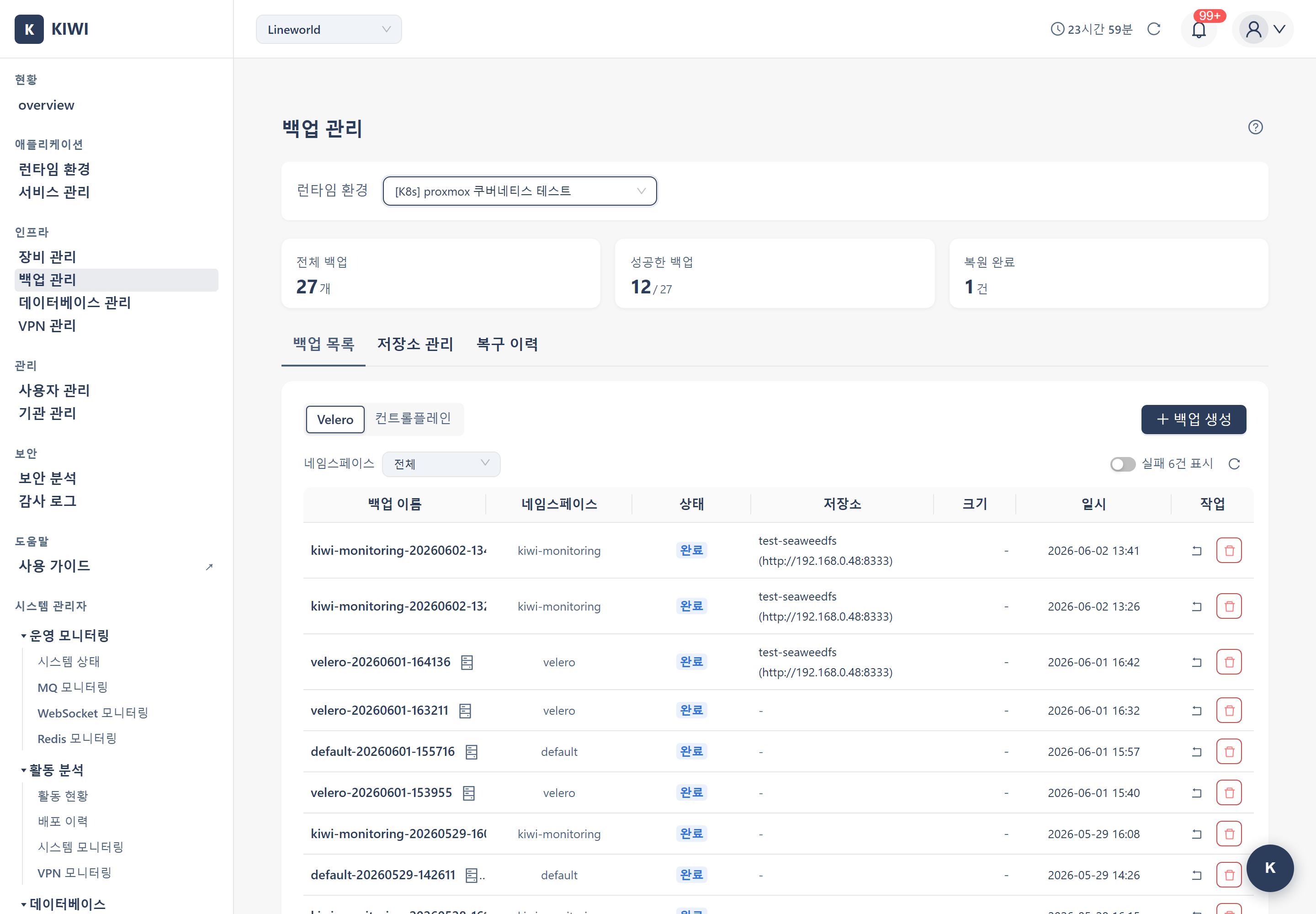
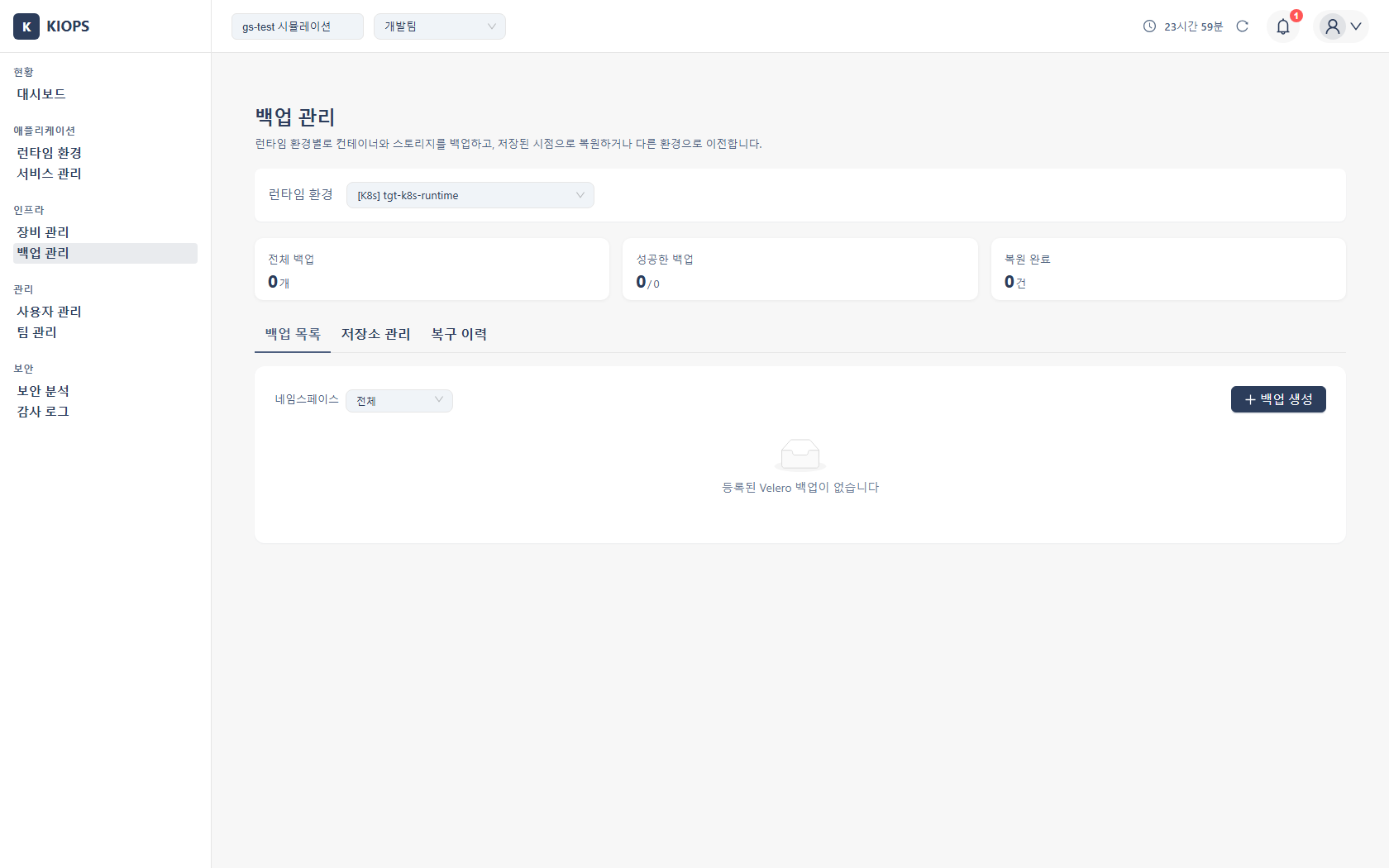
Manage backups and recovery for Velero, Control Plane, and Docker/Podman containers from one place. If you cannot access this page, request permission from your organization administrator.
What you can do here
- Create and manage backups: Create backups suited to each runtime environment and view/delete them in the list.
- Connect external storage: Store backups remotely in S3-compatible object storage.
- Restore: Roll the system back to a specific point using a previous backup.
Use it for recovering from system failures/disk corruption, undoing incorrect changes, migrating environments, and meeting audit/compliance requirements. For backup states, see the Status Reference.
The Golden Rule of Backups (3-2-1) — Keep at least 3 copies on 2 different media, with 1 stored at a remote location.
Key elements
Backup types (differ by target)
- Velero Backup: Targets Kubernetes clusters. Stores workloads (Deployments, Services, etc.) and PV data to external object storage. Used for fine-grained namespace- and resource-level backup/restore.
- Control Plane Backup: Targets Kubernetes master nodes. Backs up etcd snapshots and PKI certificates (
/etc/kubernetes/pki) as two objects (etcd snapshot + PKI archive) under one prefix in object storage. Used for cluster-level DR (Disaster Recovery) requiring full cluster reconstruction. - Docker/Podman Backup: Targets Docker/Podman hosts. Choose a backup type of volumes, container configuration, or Compose files.
Velero vs Control Plane — Velero protects application workloads and persistent volume data, while Control Plane protects the cluster itself (etcd state + PKI certificates). For complete DR, operating both is recommended.
Three tabs and the list
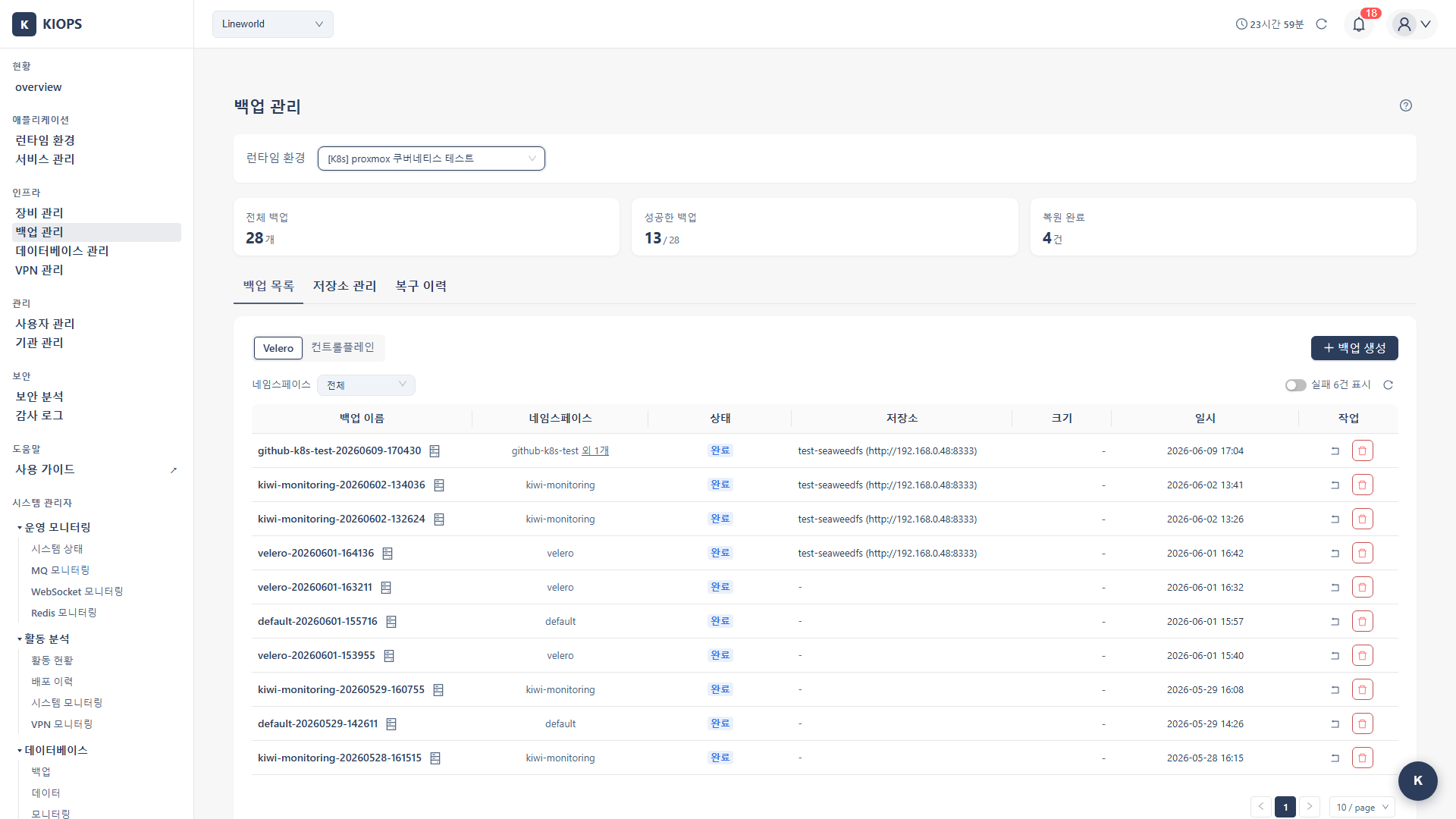
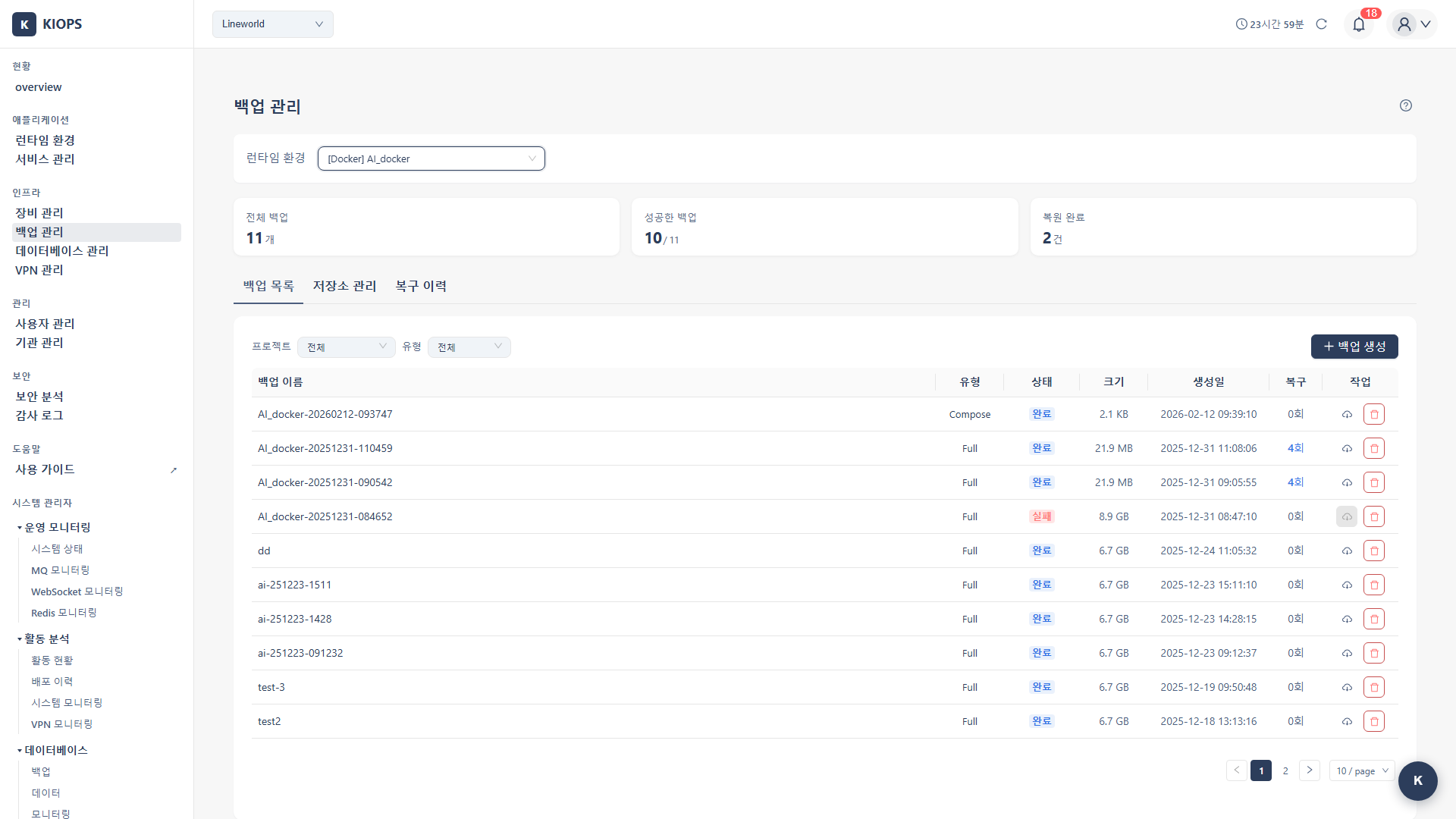
Backup List (create/view/delete/restore) · Storage Management (external storage, shown with view permission) · Recovery History. Statistics are provided through header cards at the top, not a separate tab. The backup list shows name, type, file size, creation time, status, and storage (endpoint, - when unused), with restore/delete actions on each item. For status labels, see the Status Reference.
The list layout differs by runtime. Kubernetes switches types with the Velero / Control Plane toggle and reviews backups by namespace; Docker·Podman reviews by backup Type (Compose/Full/Volume/Config) with size/restore-count columns.
Backup name rules
The name is not just an on-screen label — it becomes the Velero resource name and the directory and file name on the target server. Two constraints follow from that.
- Up to 40 characters. A K8s backup appends the time (
-HHMMSS), plus-immediatefor an immediate backup, and the label used to list backups is truncated at 63 bytes. Past 40 characters, backups that share a prefix become indistinguishable in the list. - Korean characters are rejected. Use letters, digits, and
-_.. If the runtime environment name is in Korean, autofill drops those characters, falling back tobackupwhen nothing is left.
Leave the name empty and it is generated from the target name and the date (e.g. my-app-20250821). The generated value is also shortened to fit within 40 characters.
Velero backup options
- Multi-namespace selection: Select multiple from a checkbox list (with a Select-all toggle). Passed to Velero
--include-namespacesand captured in one backup; the name is auto-generated using the first namespace as a prefix. - Label selector (optional): Back up only resources carrying specific labels.
- Include PVC data (default enabled): When enabled, backs up the actual PersistentVolume data via File System Backup (required for complete recovery of stateful workloads such as DBs and caches). When cleared, only the manifests (YAML) are backed up.
NFS environment note — In NFS-based storage, backing up PVC data may cause performance impact. Schedule backups during low-traffic hours or disable this option if not needed.
Resource-type filtering (exclude PV/PVC, app resources only, etc.) is chosen at the restore stage, not during backup.
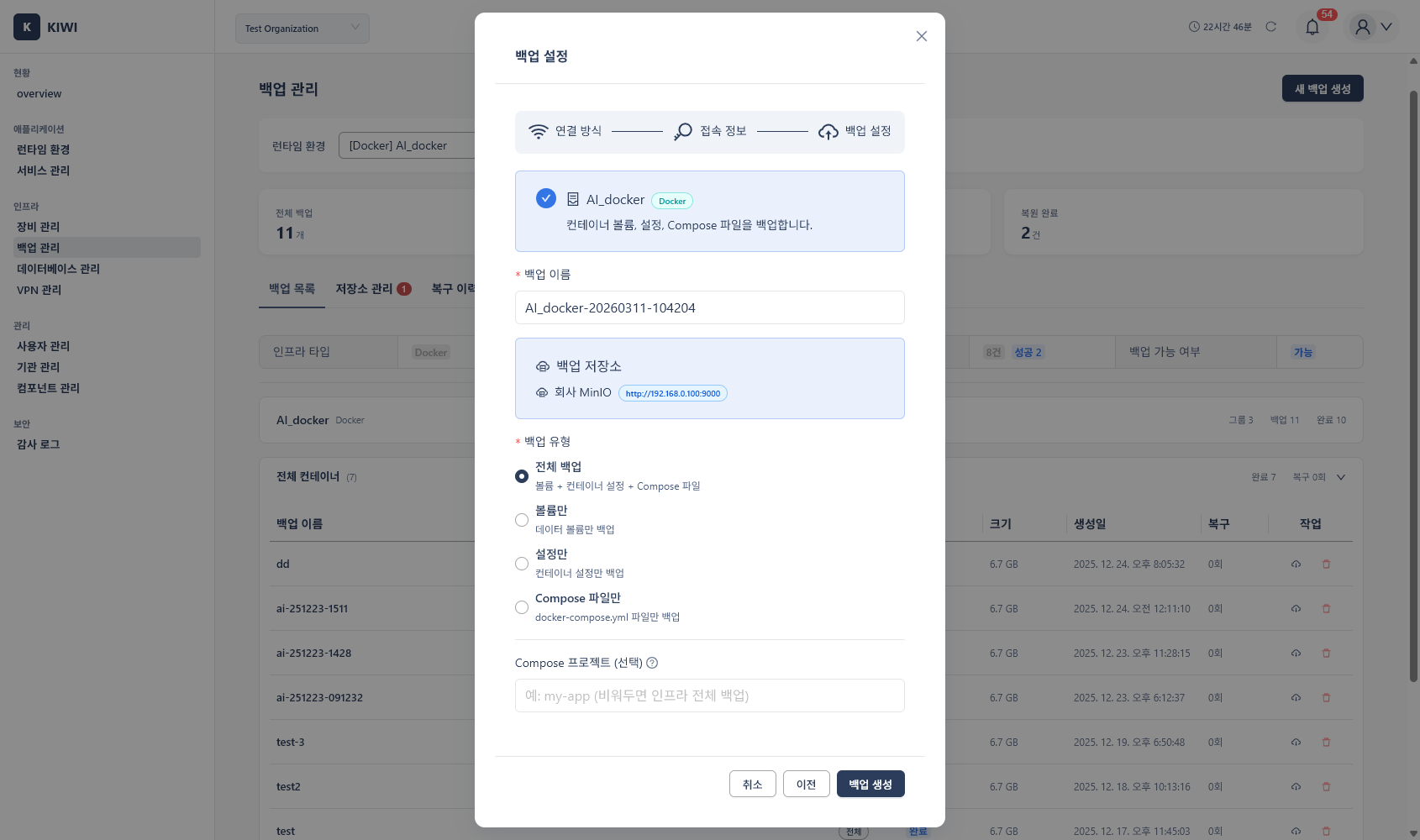
Docker/Podman backup types
Select a single type. You cannot combine several types in one backup.
- Full: volumes + config + Compose file. The most complete option.
- Volume only: persistent data only. Usually the most important type.
- Config only: container configuration only.
- Compose file only: the docker-compose definition only.
There is no separate Image type. Images are included in the Full and Config types and are preserved automatically on restore.
Supported storage
Object Storage (SeaweedFS) is S3-compatible and the default option for auto-install. S3-compatible covers any storage that supports the S3 API.
The AWS S3 and NFS types are currently coming soon, and a dedicated AWS S3 screen with a region field is not yet available. Register AWS S3 or any other S3-compatible storage through the Object Storage type by entering the endpoint, Access Key, Secret Key, and bucket. Credentials are stored encrypted within KIOPS; following least privilege, using a dedicated backup account is recommended.
How to
Velero installation wizard
The backup wizard does not open automatically and has no separate start button. When Velero installation is required, the Velero Installation modal opens via the Install Velero button on [Backup Management]. In its Backup Engine Settings step you enter the Kubernetes cluster, backup storage (registered beforehand in Storage Management), SSH access node/credentials, and an optional backup path prefix (veleroPrefix). Backup-target selection, storage-type selection, and schedule settings are not part of this wizard.
Create a Control Plane backup
- On the Backup List tab, switch the K8s backup to Control Plane and click Create Backup.
- Choose the connection method: direct SSH or VPN.
- Enter the SSH credentials and the sudo password. Multi-hop through a gateway is supported.
- The etcd backup tool check step inspects
etcdctlandetcdutlon the master node. If they are missing, it installs the version matching the cluster's etcd. - Choose a name (default
cp-YYYYMMDDHHmmss) and a storage, then click Create Backup.
The backend then runs the rest automatically: etcd snapshot → PKI certificate archive → object storage upload.
SSH credential storage — Entered SSH credentials are stored encrypted (AES-256-GCM) on the KIOPS server and reused automatically for later operations such as restore; no plaintext is kept in the browser. For security, some values like the sudo password may be requested again at operation time.
Create a Docker/Podman backup
Backup List tab → Create Backup → select type (Docker/Podman), target host, and backup type → Start Backup.
Connect external storage
On the Storage Management tab, click Add Storage. Enter the Object Storage settings (endpoint — for example http://your-storage-server:8333 — Access Key, Secret Key, and bucket name), run Test Connection, then Save. The link dialog also asks for the backup kind (Velero, container, and so on). If only one kind is available it does not ask. The storage location (BSL) field appears only when you pick Velero. The storage list also shows the backups stored in each storage.
Restore from a backup
Pre-restore checklist: verify the correct point-in-time backup · create a backup of the current state first (to revert) · share whether service interruption is needed with the team · have the administrator password ready.
Backup List tab → the backup's Restore button → review the preview → acknowledge warnings → Start Restore → enter the administrator password → verify normal operation after completion.
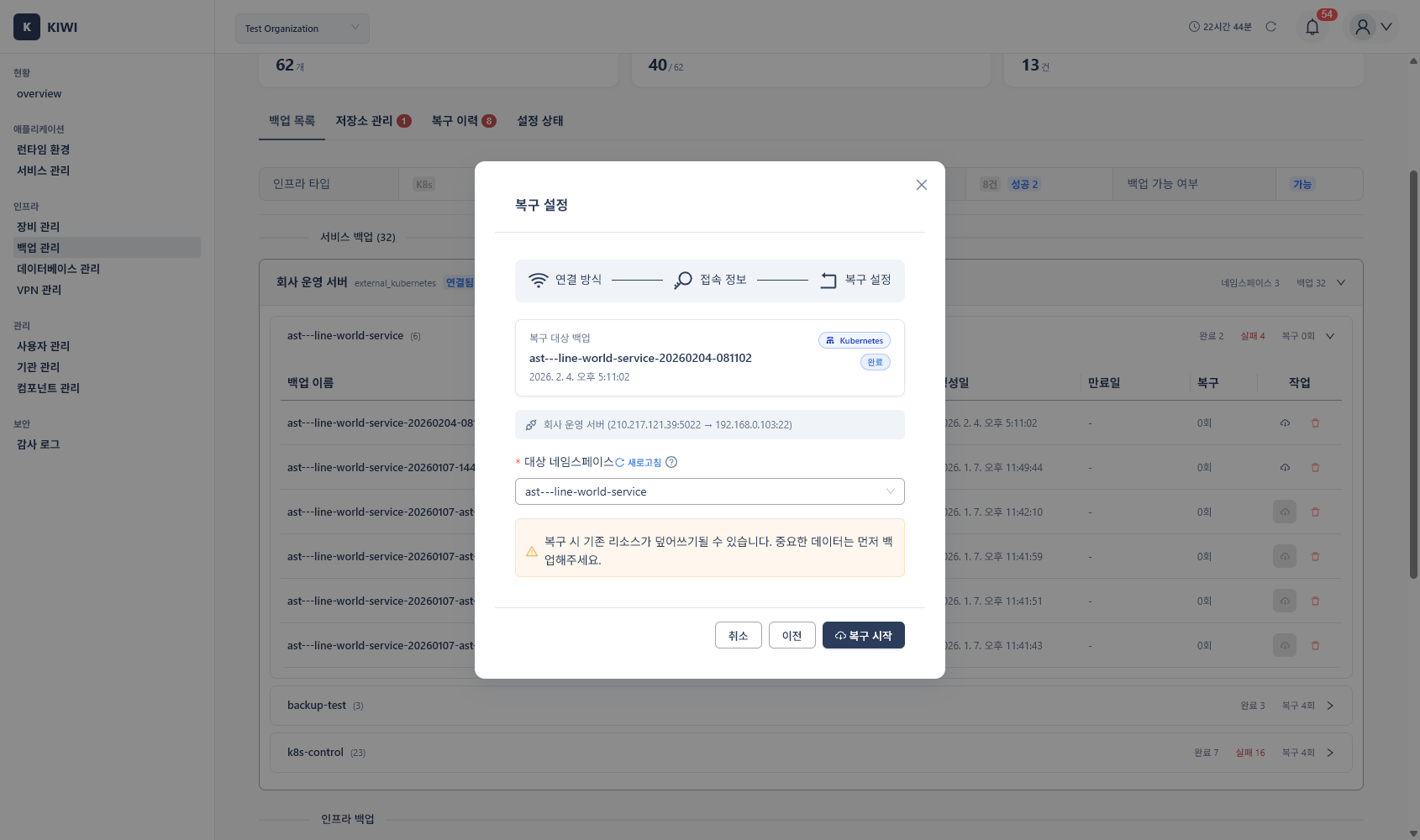
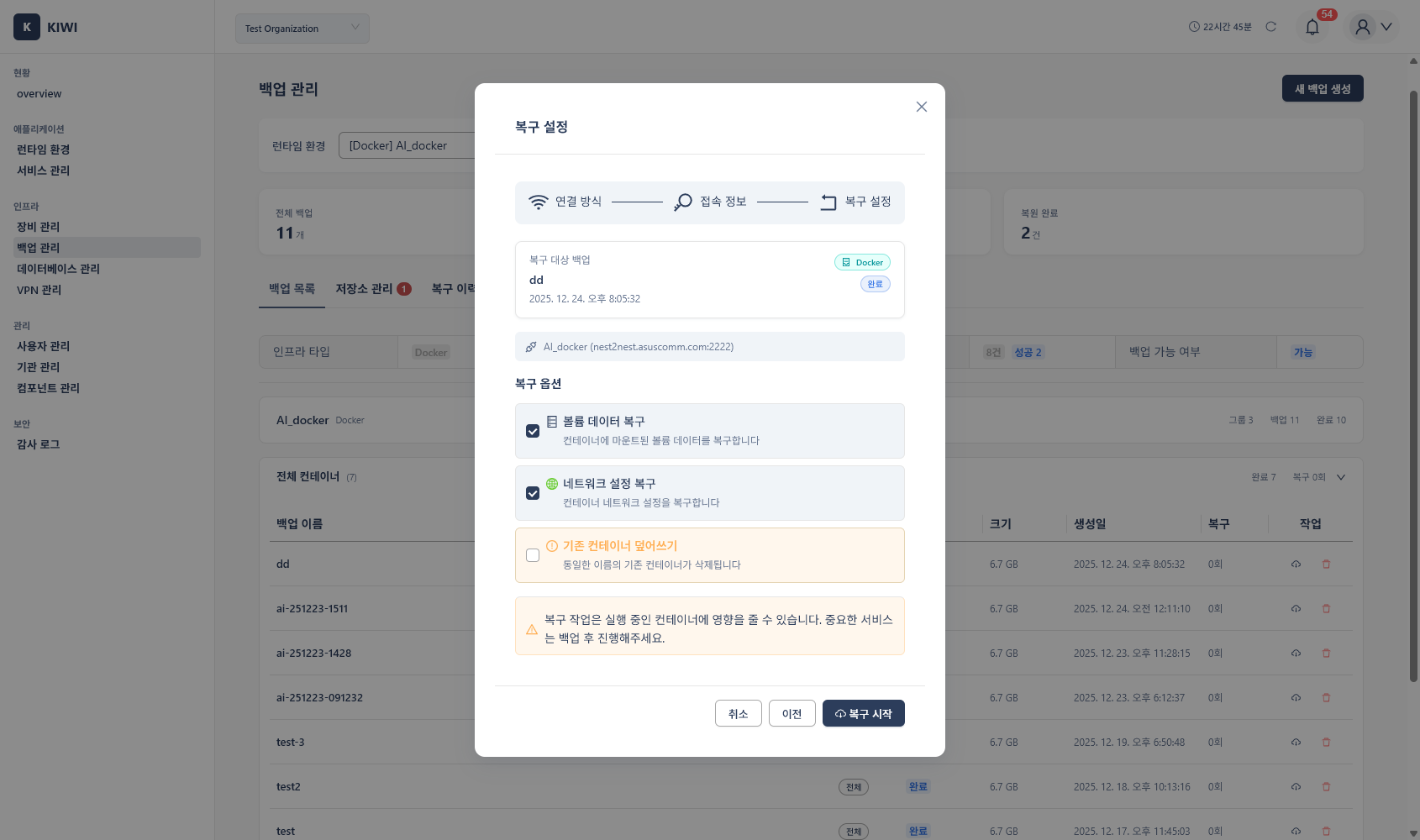
Velero restore options (Restore Settings step):
- Select namespaces to restore: For a multi-namespace backup, restore only some (at least one); a single-namespace backup allows original→target name mapping.
- Resource restore scope: All resources / Exclude PV/PVC (keep existing storage) / App resources only (Deployment·Service·ConfigMap·Secret, etc.) / Custom selection.
- Restore PVC data: Shown when the backup includes PVC volume data. Clear it to restore only K8s resources.
Always back up the current state before restoring; if problems occur, revert with the backup you just created. Large backups/restores may affect network bandwidth, so run them during low-traffic hours, and rotate external storage credentials regularly.