Scan Target Settings
Security analysis does not ask you what to scan on the [Security Analysis] page. It uses what is already registered on the service.
- The areas that read source code (Code analysis (SAST), IaC, Secrets) use the Git repository registered on the service.
- The area that probes a running application (Domain analysis (DAST)) uses the domains registered on the service.
So to change what gets scanned, configure it in [Service Management], not in [Security Analysis].
The [Security Analysis] page no longer has a [Settings] tab. Git repository, branch, and token settings moved to [Settings] in [Service Management], described below.
Git repository, branch, and token
In the [Service Management] list, click [Settings] on the target service to open the Build/Deploy presets dialog, then use its GitLab repository authentication section.
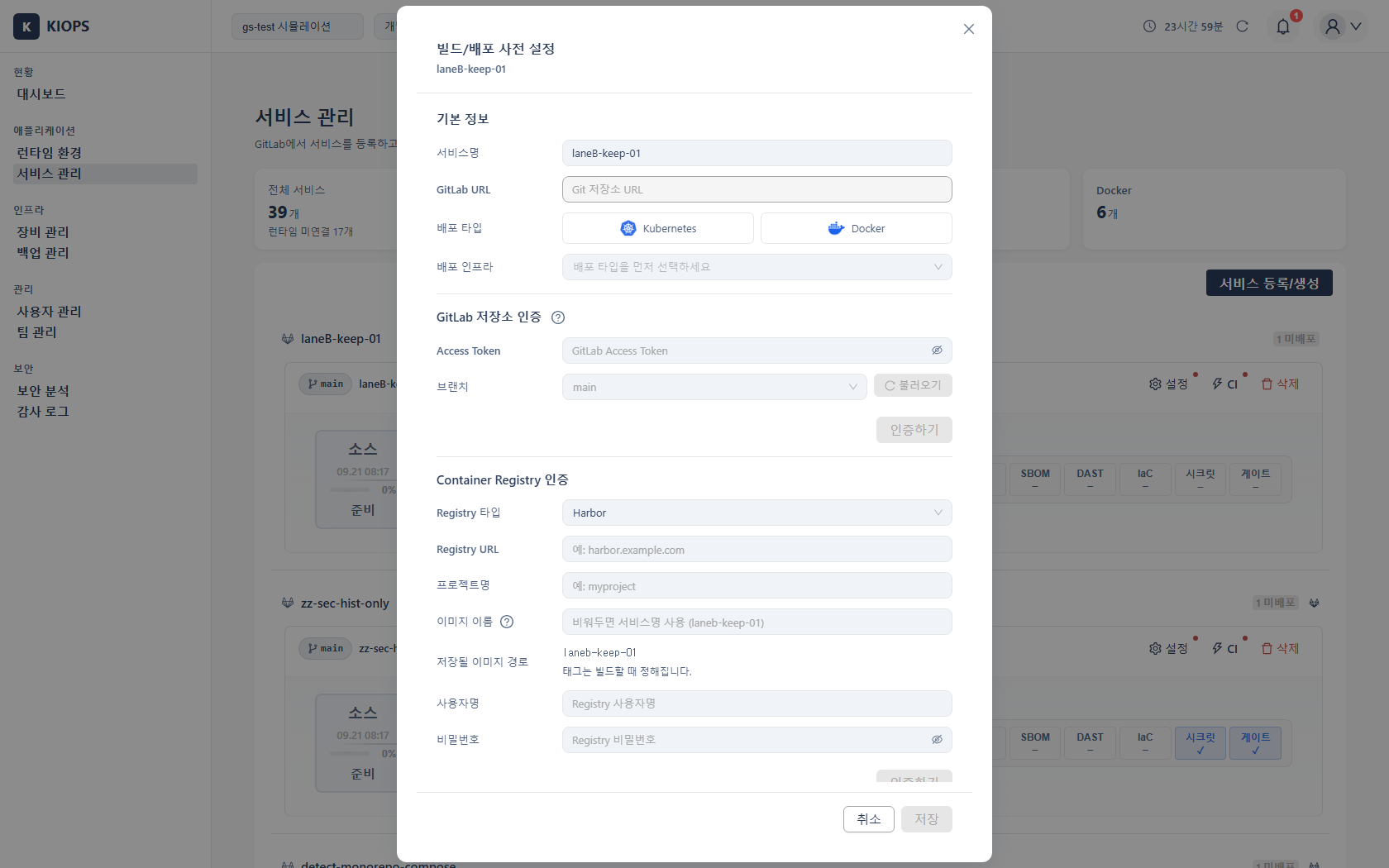
- GitLab URL: the repository to analyse (in the Basic information section at the top).
- Access Token: used to reach a private repository.
- Branch: the branch to scan. Use [Load] to fetch the repository's branch list. The branch set here applies to Code analysis (SAST), IaC, and Secrets alike.
The Container Registry authentication section of the same dialog configures where built images are pushed. It is unrelated to security analysis but lives in the same dialog.
The token is never shown again after saving
The token field is write-only. Even when a token is already stored the field is empty; only whether one is registered, and where it came from, is shown. When a scan runs, the server uses the stored token directly.
If you cannot recall the value there is no way to read it back — replace it with a new token.
If no service-specific token is registered, the organization-wide token from [GitLab settings] is used instead. That is why a token can show as registered even though you never entered one here.
DAST target domains
Domain analysis (DAST) picks its target from registered domains. An arbitrary address cannot be typed in.
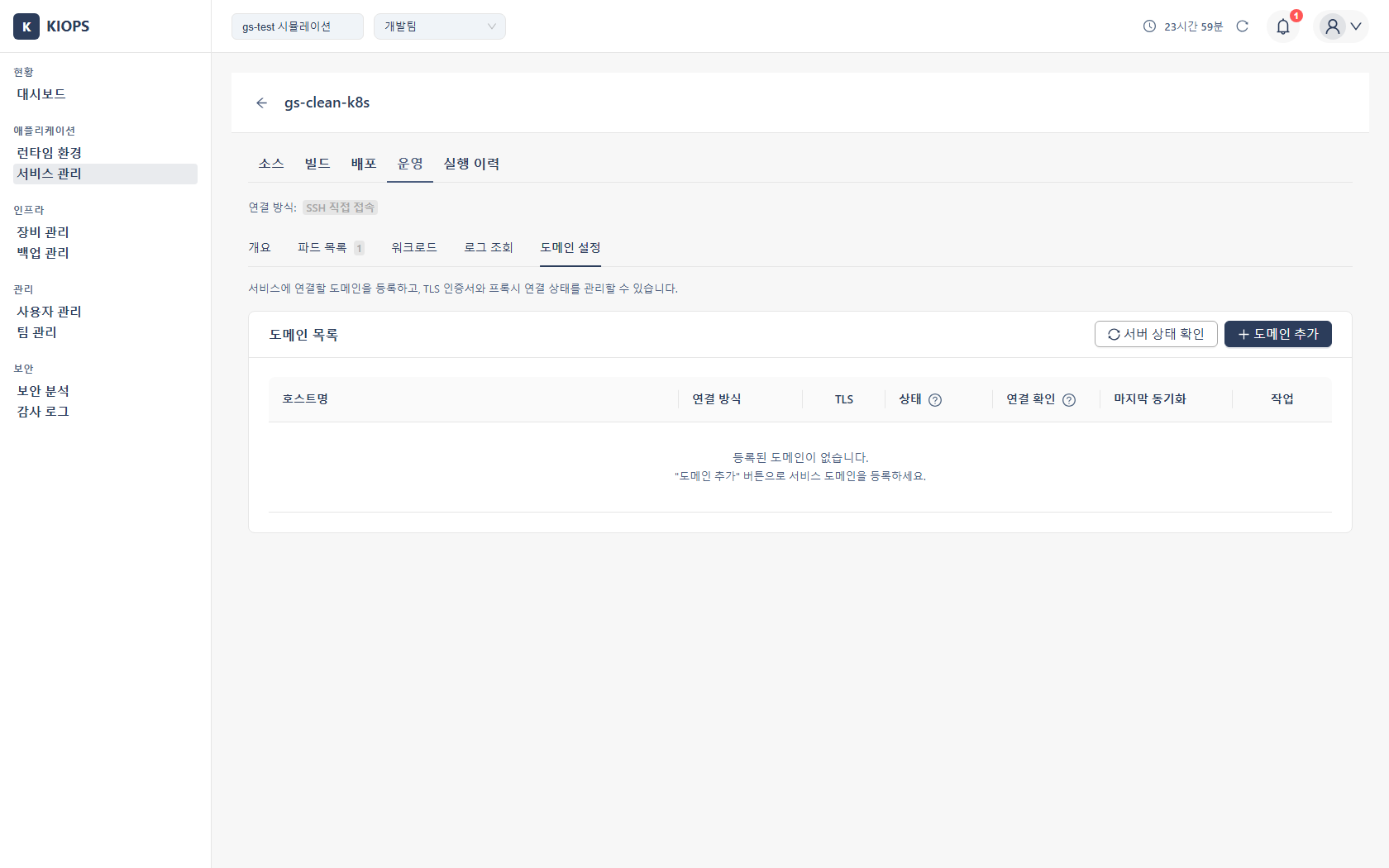
Domains are registered and managed in [Service Management] > the service's Operate > Domain settings tab. See Domain and SSL Setup for the full procedure.
If the domain you want to scan is not in the list, register it in that tab first.
When to check these settings
- Code analysis (SAST), IaC, or Secret scans fail with an authentication error → register or replace the Git token.
- You want to scan a different branch → change the branch; it applies to all three areas.
- The DAST target list is empty → register a domain in the domain settings tab first.
Related Pages
- Service Registration - connecting a Git repository to a service
- Domain and SSL Setup - registering domains and connection methods
- Security Analysis - overall flow and tab structure